Remember meaningful progress
Record milestones, decisions, releases, and deployments. See what changed and why when you look back.

Devmark 0.2.0 · Local work notes for developers
Keep the progress that matters, and the ideas for later.
Capture with the CLI. Pick up the context in a native app.
Turn your work into a daily recap when you need one.
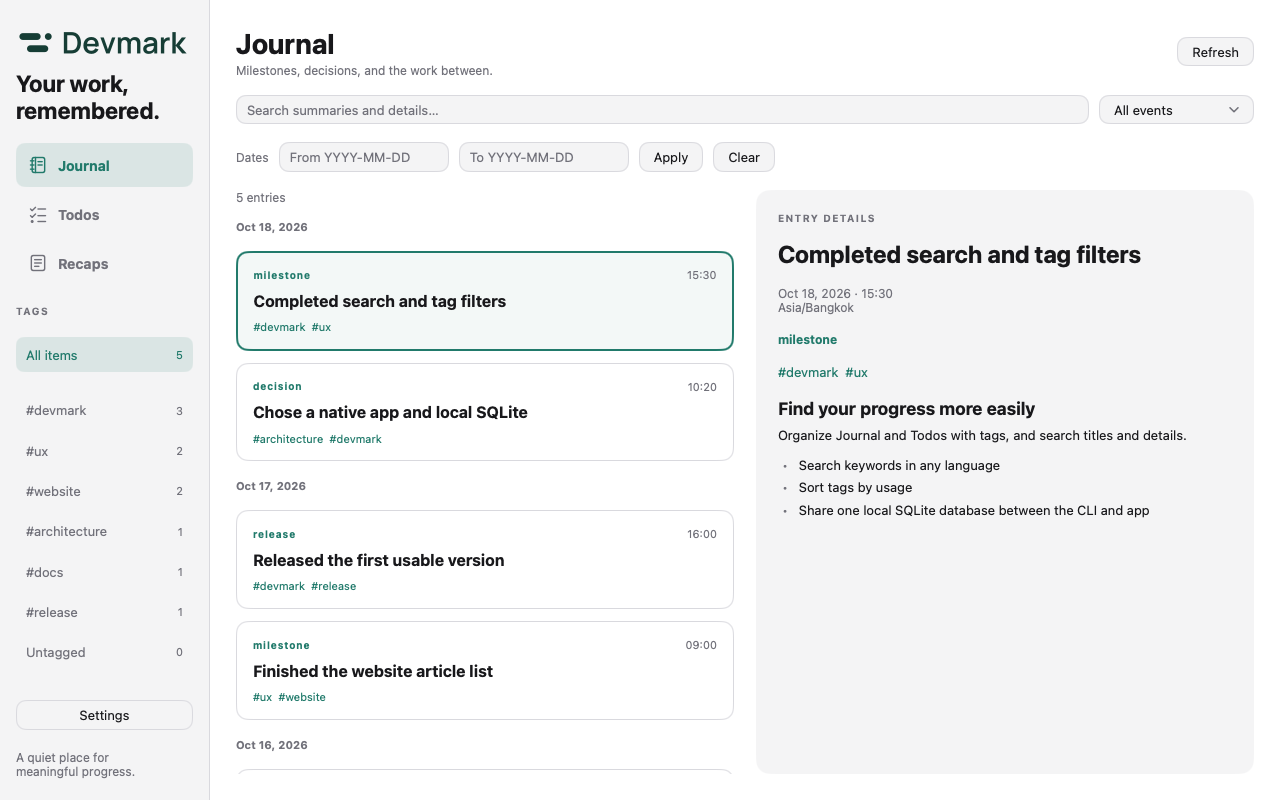
A place for the milestones you reach and the things you want to come back to.
Record milestones, decisions, releases, and deployments. See what changed and why when you look back.
Capture a side task before you lose the thought. Check it off when it’s done; completing a todo never creates a journal entry.
Connect work across projects with tags, then find it with keyword search. Project paths are optional metadata.
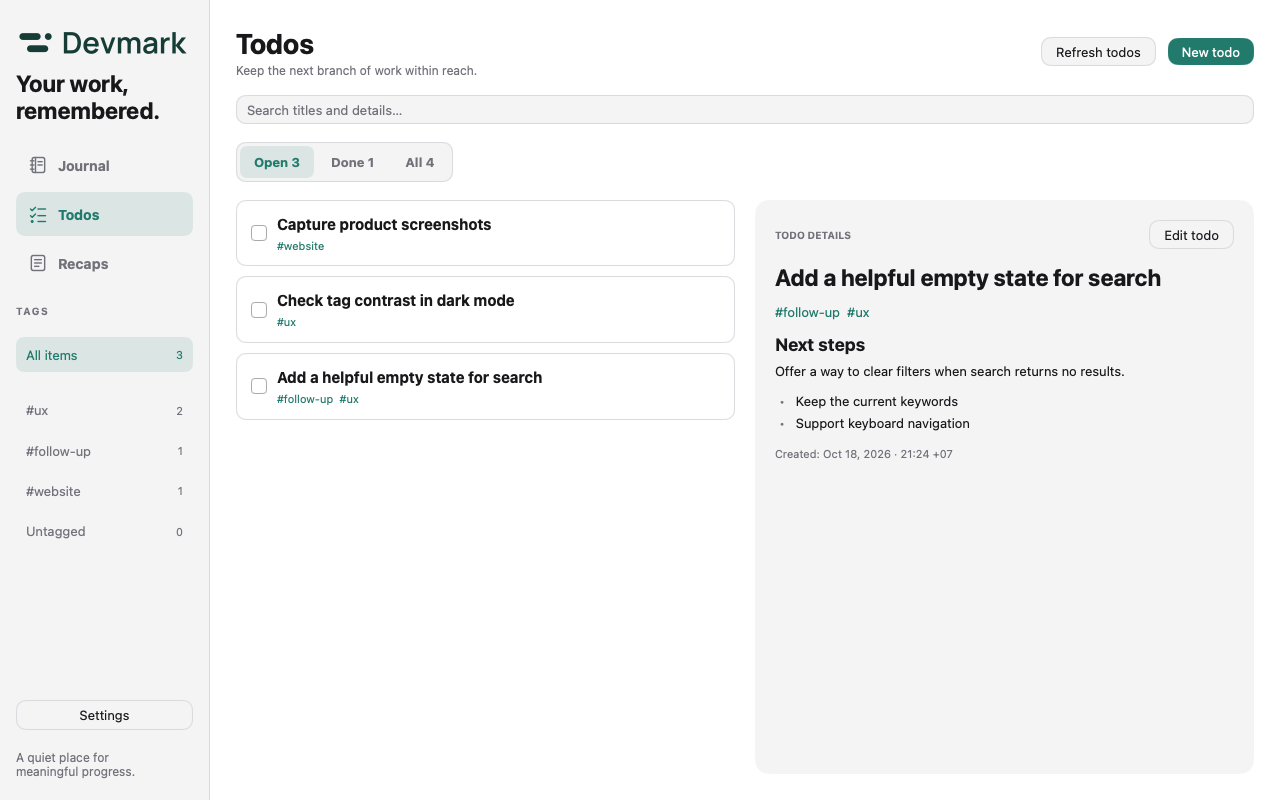
Side tasks show up while you’re working. Add a quick todo from the menu bar: one sentence, a few #tags, and you’re back to the task at hand.

Recaps · A daily summary, when you need it
Choose a date, time zone, and tag, then select journal entries and todos completed that day. Draft a recap with your ChatGPT plan, review and edit it, then copy or export it as Markdown.
Use Continue with ChatGPT to connect an eligible account without an API key. Generation uses your ChatGPT plan allowance or available credits. Only selected content is sent; Devmark does not read your ChatGPT or Codex conversations.Check eligibility with OpenAI ↗
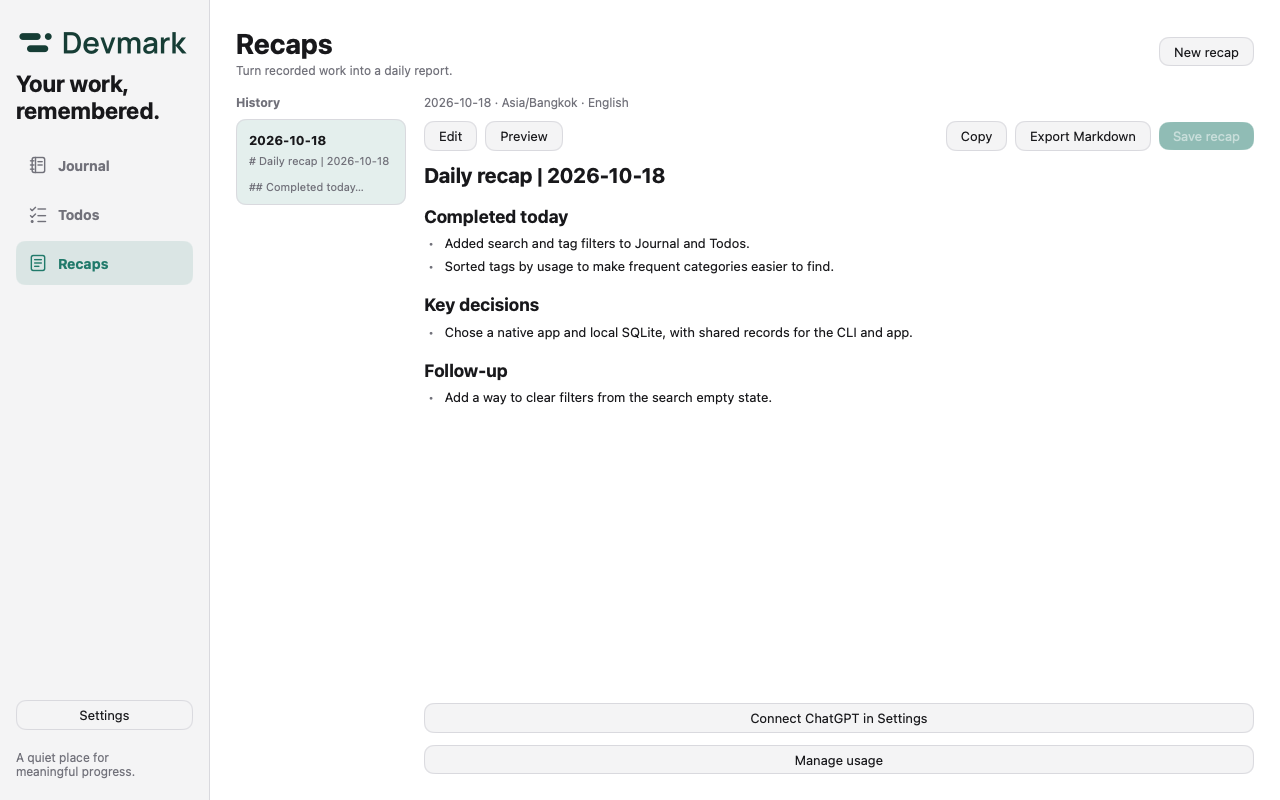
The app supports English, Simplified Chinese, and Traditional Chinese. It follows your system language, falls back to English, and lets you switch in Settings.
Back up the full database in Settings, or export Journal, Todos, and Recaps as JSON. Individual recaps can also be exported as Markdown.
ChatGPT credentials stay in macOS Keychain, outside database backups. Tokens are checked and refreshed only when you request a recap.
Capture where you work
For you and your coding agent. Pass in JSON, and the CLI and app share the same local records.
Run inside a project to infer its path automatically. Reuse the same event_key when retrying a Journal command to avoid duplicate entries.
devmark list --tag uxFind entries by tagdevmark todo list --status openFind open todosdevmark add --json - <<'JSON'
{
"kind": "milestone",
"summary": "Completed search and tag filters",
"details": "Added keyword search and tag filtering.",
"tags": ["devmark", "ux"],
"event_key": "search-and-tags-v1"
}
JSONdevmark todo add --json - <<'JSON'
{
"title": "Add a helpful empty state for search",
"details": "Keep the active filters and offer a way to clear them.",
"tags": ["ux", "follow-up"]
}
JSONDevmark × coding agents
Give your agent a small set of standing instructions. Load the skill only when it needs Devmark commands.
Add this to your AGENTS.md or CLAUDE.md. It defines when to record progress and when to leave a reminder.
A self-contained Markdown skill with the recording policy, complete JSON examples, and commands for Journal and Todos.
Save it as devmark/SKILL.md inside your agent’s skills directory. The directory location depends on your agent.
Install Devmark CLI on PATH first. The prompt and skill are English in both website languages; your records can use your preferred language.

One local SQLite database, shared by the CLI and app.
No account or server is needed for everyday records. Export or back them up whenever you like.
Selected content is sent to OpenAI only when you use the optional ChatGPT recap feature.
Start on macOS. Make Devmark part of your workflow.
Apple Silicon · Three app languages · Quick capture and recaps
Download App ZIPNotarized by Apple. Unzip and move Devmark.app to Applications.
Currently validated on macOS Apple Silicon only.
Download the CLI and install it in your command directory.
Download CLI for macOS Apple Siliconmkdir -p "$HOME/.local/bin"
unzip -q ~/Downloads/devmark-cli-0.2.0-macos-arm64.zip -d ~/Downloads
install -m 755 ~/Downloads/devmark-cli-0.2.0-macos-arm64/devmark "$HOME/.local/bin/devmark"
export PATH="$HOME/.local/bin:$PATH"
devmark --helpThe CLI is Developer ID signed and Apple notarized; its ticket is checked online. The app and CLI share the same database by default.